Arcane
- Instant Delivery
-
Updating (Not Working)
-
Information
- Supported CPU: Intel & AMD
- Supported Windows Version: 10 - 11
- Type: External
- 12 GBs of RAM required
-
-
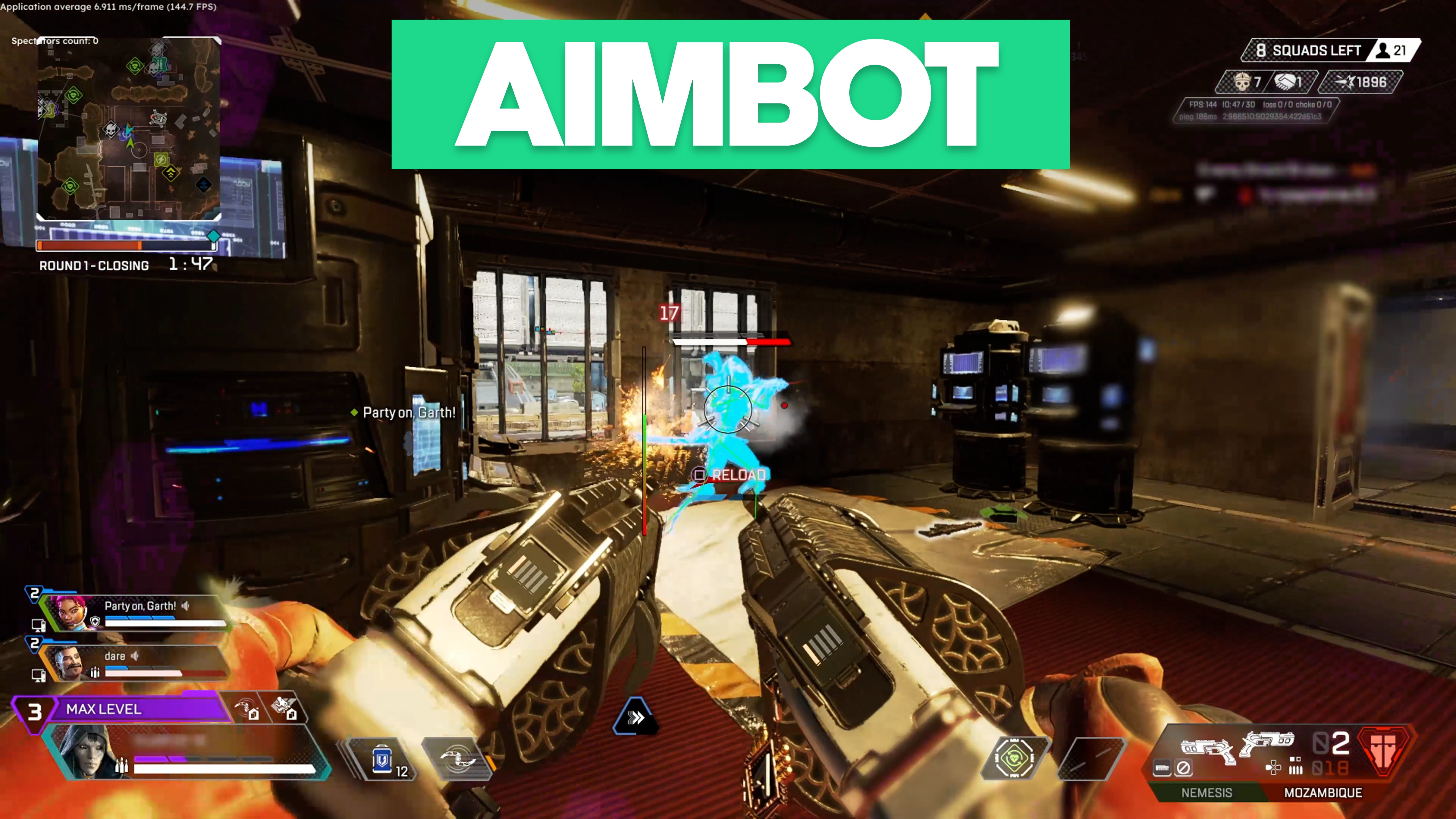
Aimbot
Advanced aiming system with visual feedback and customization.
- Enable
- Always
- Smooth
- FOV Radius
- Distance
- Prediction
- Target Bots
- Target Teams
- Target Knocked
- Visible Check
- Recoil Control System (RCS X / RCS Y)
- Switch Delay
- Draw FOV Border
- Draw FOV Background
- Draw FOV Target
- Draw FOV Target Mode (Always, Aim Key)
- Aimbot Type (Selected Bone, Closest Bone, Random Bone)
- Aimbot Bone (Head, Neck, Body, Pelvis)
- First Keybind
- Second Keybind
-
Chams
Advanced visibility and visual enhancement settings.
- Enable
- Show Bot
- Show Team
- Show Knocked
- Show Model
- Mode (Presets, Advanced)
- Presets Style (Static, Health & Shield)
- Advanced Filled Style (Static, Pulse, Coding Mode, Visible Check)
- Advanced Outline Style (Static, Pulse, Rainbow)
- Brightness
- Outline Radius
- Color Settings
- Rendering Distance
-
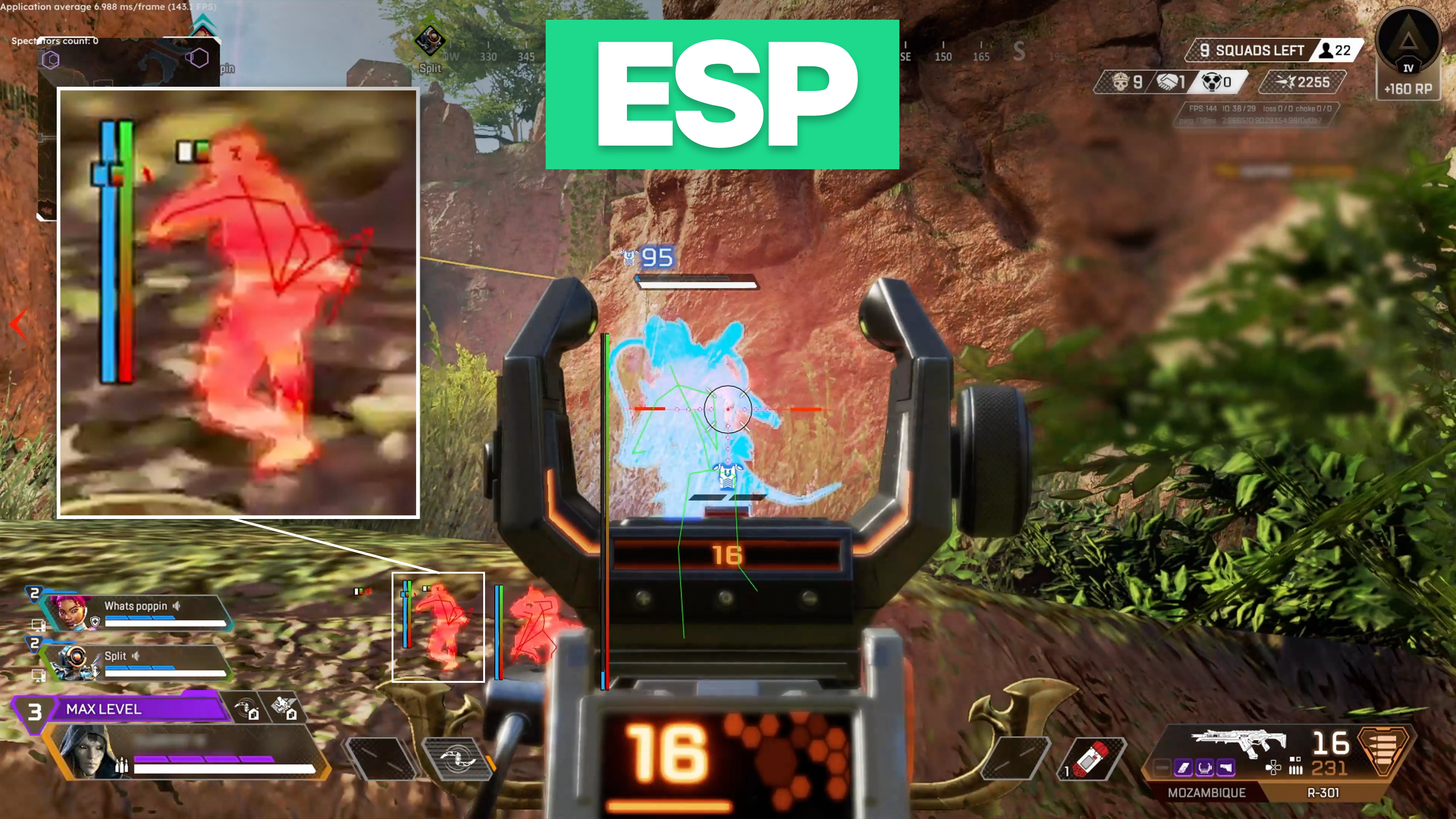
ESP Players
Detailed ESP options for player tracking.
- Box (Box, Corner)
- Box Filled (Static, Gradient)
- Line (Middle Top, Middle Down)
- Skeleton
- Skeleton Thickness
- Health Bar (Static, Health Based, Gradient)
- Shield Bar (Static, Shield Based)
- Distance
- Nickname
- View Line
- Level
- Legend Name
- Team Number
- Show Bot
- Show Team
- Show Knocked
- Visible Check
- Color Settings
- Rendering Distance
-
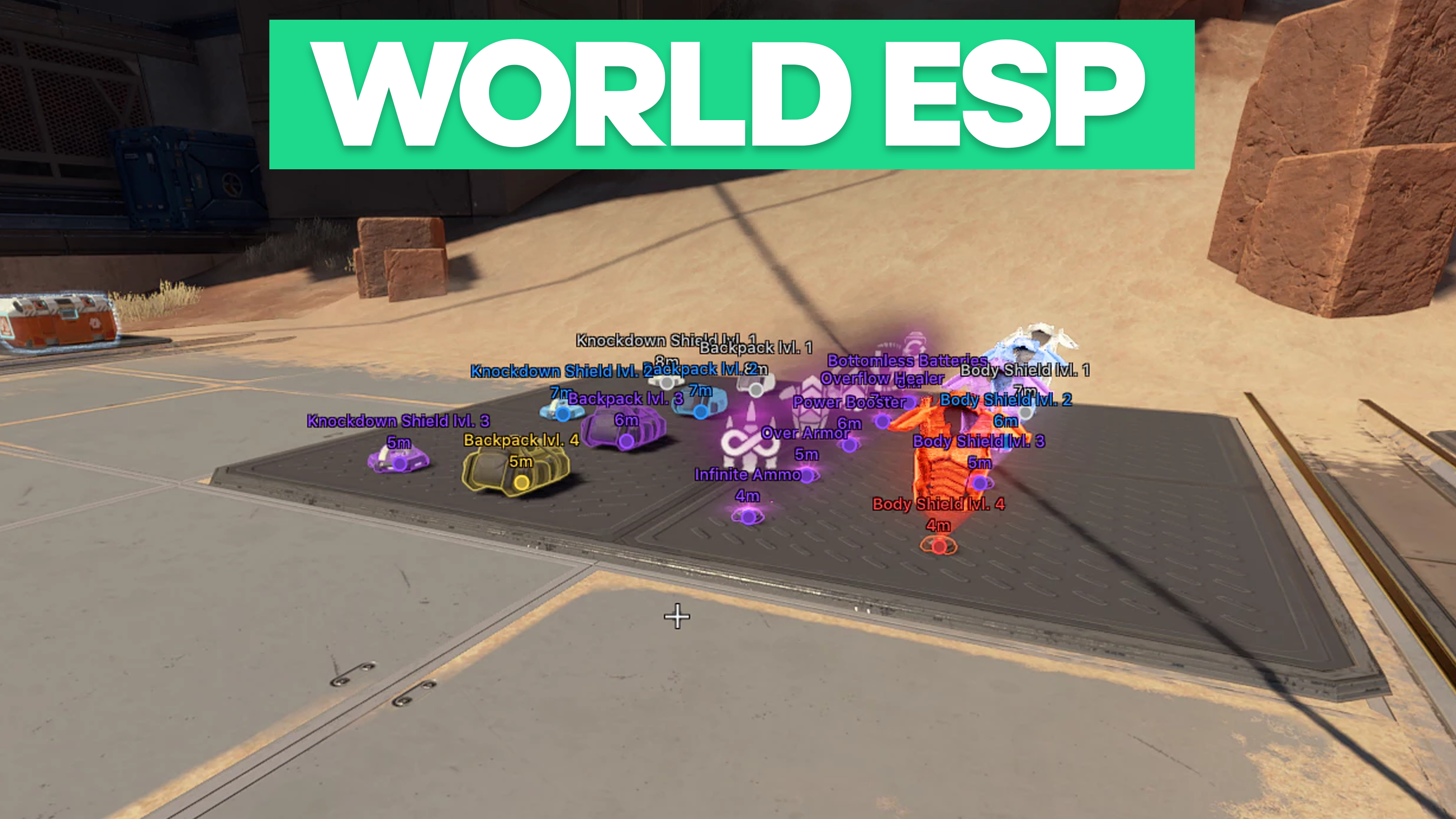
Items ESP
Loot and item tracking options.
- Glow Items: Enable
- Rendering Distance
- Enable Items ESP
- Battle Mode
- Battle Mode Keybind
- Levels Filter (White, Blue, Purple, Gold, Red)
- Category Filter
- Weapon Filter
-
Radar
Minimap-style radar features.
- Enable
- Show Bot
- Show Team
- Show Knocked
- Draw Outline
- Draw Background
- Draw Distance
- Style Point
- Style Color
- Zoom
- Size
- Distance
-
Misc Features
Quality of life tools and enhancements.
- Bunny Hop
- Wall Jump
- Tap Strafe
- Super Glide
- FPS Limit
- Crosshair
- Menu Language
- Menu Keybind
- Unload Keybind
- HWID Spoofer
-
Configurations
Save and load your custom settings.
- Create
- Save
- Load
- Delete
-
-
-
Are Arctic Cheats undetectable?
Our cheats are built with the latest security measures to stay ahead of anti-cheat systems. We continuously update our software to minimize detection risks, giving you the safest experience possible. Additionally, we provide helpful resources and guides in our forums to help you cheat responsibly and remain undetected while playing.
-
What's the difference between cheats?
The difference comes down to the game supported, included features, and customization. Some cheats include advanced visuals or extra aimbot features, while others are optimized for maximum stealth. Full comparisons are available on each product’s page.
-
Where can I get customer support?
We understand that issues can arise at any time, which is why our dedicated support team is available 24/7 to assist you. Whether you need help with installation, troubleshooting, or just have questions about our products, you can reach us anytime through our Support Page. Our team is always ready to provide fast and reliable assistance.
-
How do I purchase and get instant access?
Buying our cheats is quick and hassle-free. Simply select your desired package, complete the payment, and within seconds, your access key will be delivered instantly. You can find it under the "My Keys" tab in your account, or check your email for confirmation. No waiting, no delays—just instant access to premium cheats so you can dominate the game right away.
-